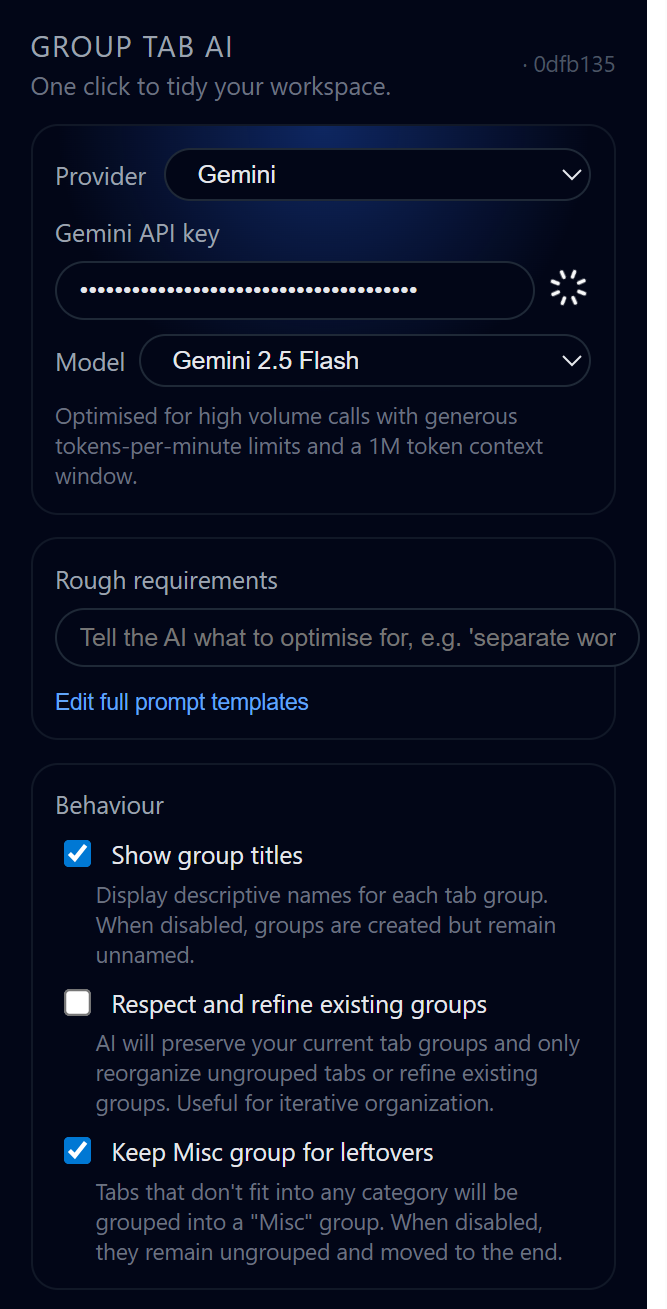
I have a love-hate relationship with browser tabs. I need a lot of them to work, but once I pass the 30-tab mark, my browser bar becomes useless.
Google Chrome actually experimented with an auto-grouping feature a while back, but they removed it. I tried finding alternatives on the Chrome Web Store, but they all had the same problem: They were lazy.
Most existing extensions group tabs based on the domain, even they calling LLM to group it. If they see youtube.com, they dump it in a “YouTube” folder. This is useless for me. If I have 5 tabs open for “Lofi Music” and 5 tabs open for “Python Tutorials,” those shouldn’t be in the same group. One is Work, the other is Background Noise.
I realized that to actually organize tabs, the software needs to read the page, not just the URL. So I spent my free time building Group Tab AI.
How it actually works

I didn’t want to over-engineer this, but I needed it to be smart. When you click the button, the extension doesn’t just look at the link. It injects a script to grab the “context” of the page, the H1 title, the meta description, and a snippet of the body text.
It sends that data to an LLM (I set it up to work with either OpenAI or Gemini). Because it reads the content, it can tell that a GitHub page for a “React Library” is different from a GitHub page for “Tracking Issues.”
I’m using Google Gemini 2.0 Flash for this mostly, with the thinkingBudget set to 0. It’s fast enough that by the time I blink, the tabs are sorted.
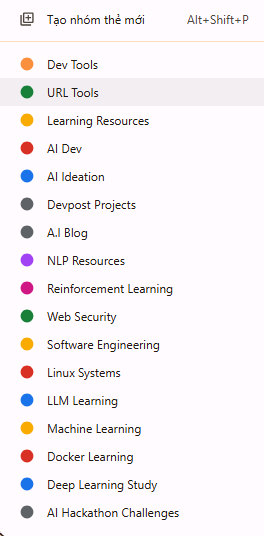
I spent nights tweaking prompts to make it focus on tasks, not domains with extra context from the website contents along with careful prompt to let them reasoning and choose. For example, if you’re a dev, it might make groups like “Bug Hunting” or “API Docs.” Designers get “Mockups” or “Inspo.” It works for anyone,
students with class notes, marketers with campaigns.
The feature I actually wanted: It learns
This is the part I’m most proud of. I know AI isn’t perfect. It’s going to mess up. It might group a design blog under “Development” instead of “Inspiration.”
Usually, with AI tools, you just have to live with the bad output. But I built a Learning System into this.
- If the AI groups something wrong, I manually move the tab to the right group.
- The extension records that move.
- After I’ve corrected it a few times, I can click a button to “Analyze Behavior.”
- The system looks at my corrections and rewrites its own system prompt.
Next time I run it, it knows: “Oh, he likes to keep his ‘Localhost’ tabs separate from his ‘Production’ tabs,” because it updated its own instructions based on my manual fixes.
The Tech Stack
For the frontend devs out there, I built this using Plasmo. It’s basically the Next.js of browser extensions, makes working with React and TypeScript in a chrome-extension environment actually bearable.
Everything is local. Your API keys are stored in your browser, and the learning data (your grouping habits) stays on your machine.
Try it out
It’s open source (GPL-3.0). I built it because I needed it, but if you’re tired of domain-based grouping that doesn’t actually help, give it a shot.
https://github.com/quochung-cyou/group-tab-ai-extension
Releases: https://github.com/quochung-cyou/group-tab-ai-extension/releases/
