Register a custom function in Camunda 7 with Spring Boot

Introduction to Camunda 7

image 2 - quochung.cyou PTIT

Camunda 7 is a powerful, open-source platform designed for workflow and process automation. It offers a comprehensive suite of tools for managing business processes, including capabilities for modeling, automating, and optimizing workflows.

Before Camunda BPM 7.18

In both approaches, you need to register your method via the function mapper. If you want to call a method from a bean using an expression like ${myBean.method()}, the process happens automatically without any additional code. However, if you prefer to use the method in the format ${runner:method()} or ${method()}, here’s how you can do it.

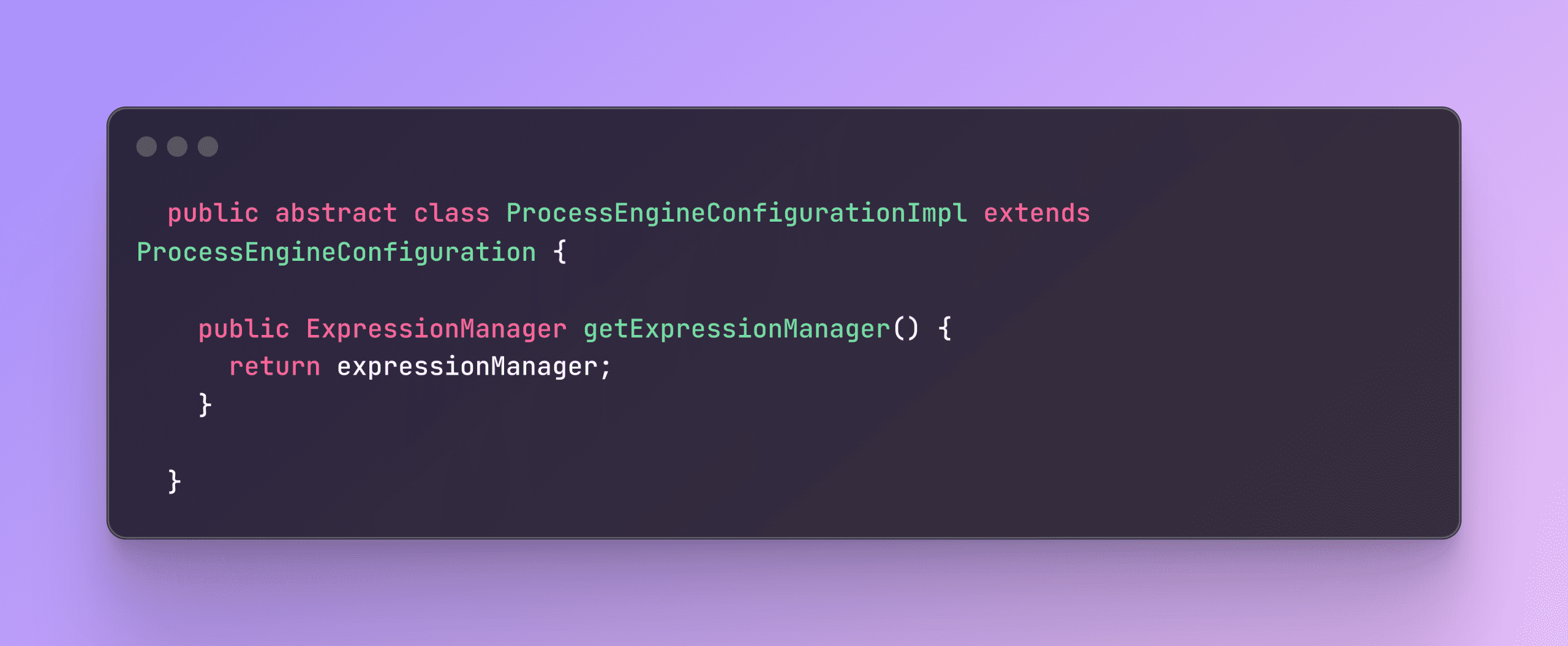
In the ProcessEngineConfigurationImpl class provided by Camunda, you’ll find the ExpressionManager. This class exposes all the necessary methods for you to use.

image 11 - quochung.cyou PTIT
image 12 - quochung.cyou PTIT

To register a new function mapper, you need to create a class that implements the FunctionMapper interface. Here’s a sample implementation to get you started.

image 13 - quochung.cyou PTIT

Now, you can create a process engine plugin to initialize the function mapper when Camunda’s process engine starts configuring.

image 14 - quochung.cyou PTIT

Now you can use ${jsonPath(a, b) in workflow

After Camunda BPM 7.18

After Camunda 7.18, the addFunctionMapper function was removed. You might need an alternative workaround, and this link might be helpful for you.

https://forum.camunda.io/t/how-do-i-add-functionmappers-to-expressionmanager-in-7-18/40466/2
Integration Testing Camunda 7 | No startFormHandler defined in process

Introduction to Camunda

image - quochung.cyou PTIT

Camunda is a popular open-source platform for workflow and process automation. It enables developers to model, automate, and optimize business processes. Camunda integrates well with Java applications, offering robust capabilities for managing complex workflows and business rules.

Understanding the Error

When performing integration testing in Camunda, you might encounter the following error:

org.camunda.bpm.engine.exception.NullValueException: No startFormHandler defined in process 'SalesOrderProcess_v2:1:cee4056f-a1d8-11eb-9f61-6683657f7a30': startFormHandler is null

This error occurs because the start event of the process expects a form handler to be defined, but none is provided. The startFormHandler is responsible for managing the form associated with the start event. When it is not defined, Camunda throws a NullValueException. This problem likely cause because of, usually camunda will have BpmnParser class that when reading the XML bpmn file, it will construct the event handler. But in your test, you not inject it

Solution: Mocking the Start Event Handler

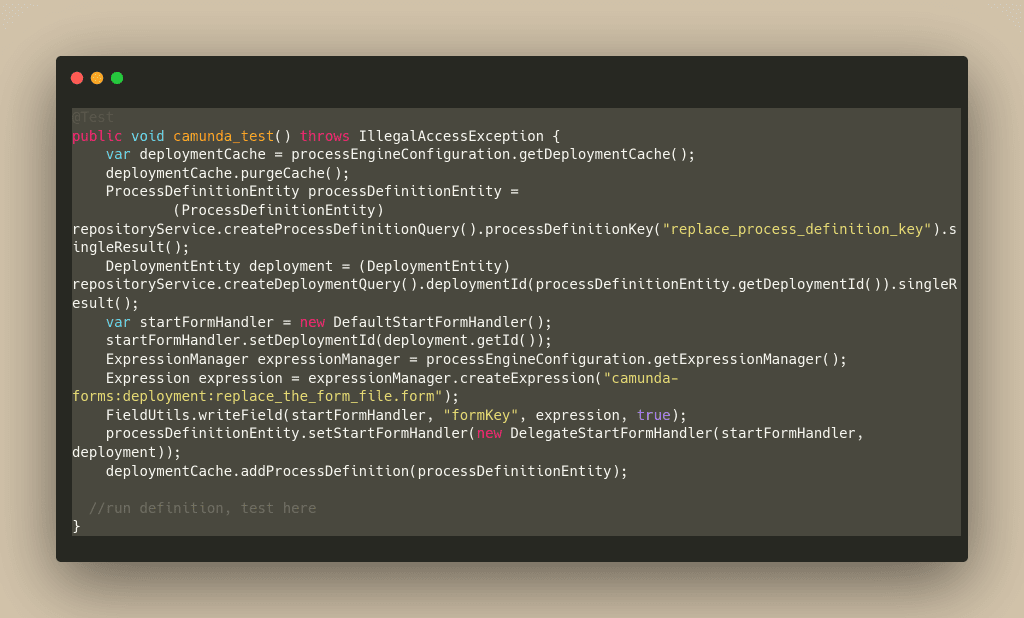
To resolve this issue, you can mock the start event handler in your integration tests. The following example demonstrates how to set up a mock start event handler to bypass the error and proceed with the testing.

Truncate table to make sure it clean state before test

      - ACT_HI_ACTINST
      - ACT_HI_DETAIL
      - ACT_HI_PROCINST
      - ACT_HI_TASKINST
      - ACT_RU_EXECUTION
      - ACT_RU_IDENTITYLINK
      - ACT_RU_TASK
      - ACT_RU_VARIABLE
      - ACT_RE_PROCDEF
      - ACT_RE_DEPLOYMENT
      - ACT_ID_USER
      - ACT_ID_GROUP
      - ACT_ID_MEMBERSHIP
      - ACT_ID_INFO
      - ACT_ID_TENANT
      - ACT_ID_TENANT_MEMBER
      - ACT_GE_BYTEARRAY

In this solution:

  1. The deployment cache is purged to ensure a clean state.
  2. The process definition is retrieved based on the process definition key.
  3. The deployment entity associated with the process definition is obtained.
  4. A DefaultStartFormHandler is created and associated with the deployment.
  5. The form key is set using the ExpressionManager.
  6. The DelegateStartFormHandler is assigned to the process definition.
  7. The process definition is added back to the deployment cache.
image 1 - quochung.cyou PTIT